We make a smile preview tool, so we have an obvious interest in how this question gets answered. Here's our honest version. The reasoning behind smile previews is sound, but there's very little independent public data on how much they increase consultations, so the only number worth trusting is the one you measure on your own site.
Why a preview might help
Before-and-after galleries are useful, but they show other people. A visitor thinking about veneers or implants looks at a stranger's result and has to imagine it on their own face. The question they're really asking is "would that work on me?" and a gallery can't answer it.
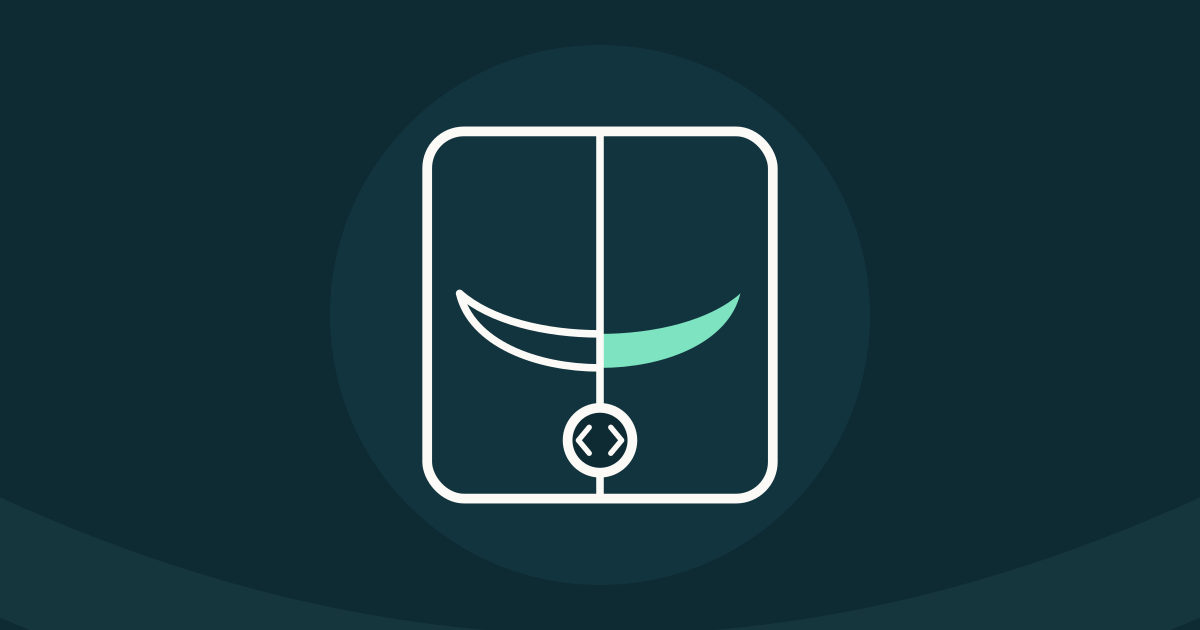
A smile preview uses the visitor's own photo. They see their own face with a simulated version of the treatment. For someone who has been putting off a decision for years, that can turn a vague idea into something concrete. It also gives them a small, low-stakes step to take before they're ready to pick up the phone.
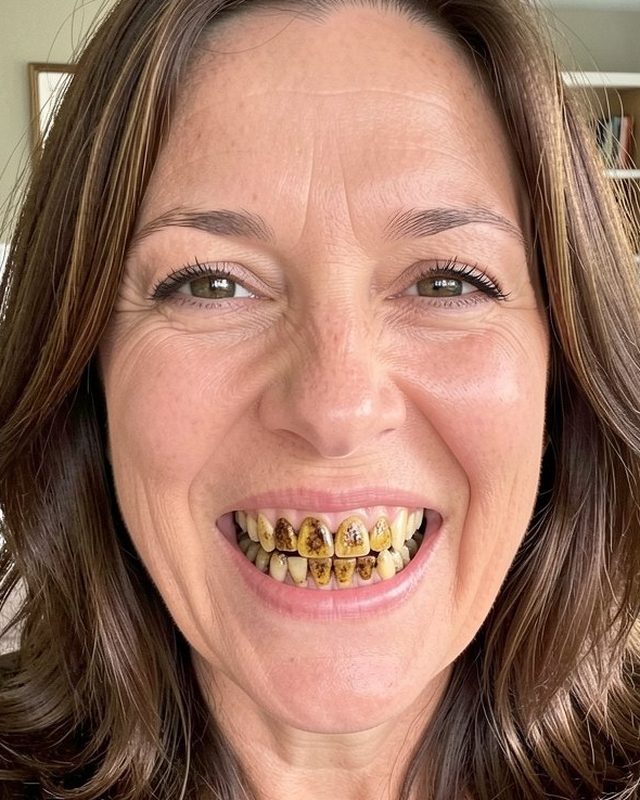 Her photo
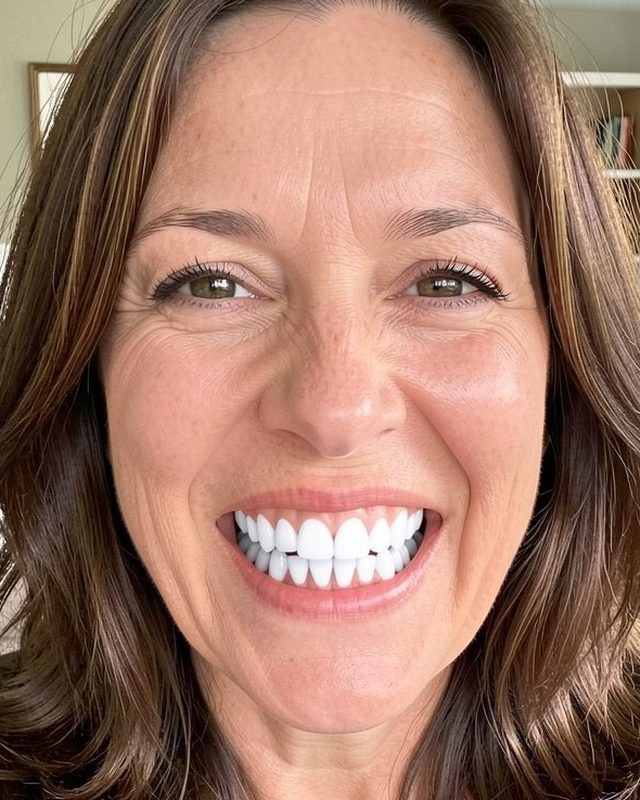 Her preview
It can help your front desk too. A lead who has seen a preview arrives with a specific interest, and the first call can start from what they saw.
What the evidence does and doesn't show
The big brands already offer previews. Invisalign has SmileView, and Aspen Dental has Smile Try-On. That tells you those companies think a preview is worth offering. It doesn't tell you what the tools did for consultation numbers, and we haven't seen independent public figures that do.
The same goes for the rest of the market. There's little independent, public data on how much smile previews lift consultation requests at dental practices. Vendors, us included, have every reason to be optimistic about their own products. So don't take anyone's word for it. Measure it.
How to measure it on your own site
You don't need a statistician. You need a baseline and some patience.
- Before you install anything, count consultation requests for the previous two or three months, broken down by source: phone calls, website form, Google Business Profile, referrals and any ads you run.
- Note which treatments people asked about, if you track that. A preview may shift what people ask about as much as it changes the total.
- Install the preview and try not to change anything else at the same time. If you launch a new ad campaign the same month, you won't be able to tell which one did what.
- After two or three months, compare the totals by source, and look at the preview leads on their own.
- Check quality as well as volume. Do preview leads book, show up and accept treatment at about the same rate as your other new patients?
- If your practice has a busy season and a slow one, compare against the same months last year as well.
With small numbers, a single month can swing a lot in either direction, so give it time before you decide. Our front desk playbook has a simple way to log inquiries and outcomes by source.
What makes a smile preview trustworthy
A smile preview handles a person's face and their interest in treatment. That deserves care. Look for:
- A clear label on the result saying it's a simulation, so nobody mistakes it for a promise.
- Consent before the photo is taken, with a plain explanation of what the tool does and what happens to the image.
- Only what's needed sent to the AI. A close-up of the mouth does the job. A full face, kept indefinitely, is more than the task requires.
- No ad tracking on the page. The reasoning we give for contact forms applies here even more, because the visitor is uploading a photo of their own face.
Rules on advertising claims and patient images vary by state, so check with your state dental board and counsel before you put any preview tool on your site.
What to watch for
Unrealistic results are the biggest risk. If a tool shows perfectly straight, bright white teeth to someone who needs extractions and implants, the consultation starts with a disappointment the dentist didn't create. A preview should open a conversation, and your dentist should know what the patient saw before they walk in.
Long forms before the result are the other thing to watch. A tool that asks for a date of birth, insurance and a home address before showing anything is asking a lot of someone who hasn't seen anything yet. A first name and a way to reach them is a fairer trade.
Be wary of any vendor that promises a specific increase in consultations. Given how little independent data there is, nobody can honestly promise that.
How ours works
Smile Fitter is our version. A patient takes a selfie on your website, picks a treatment (replace missing teeth, a full new smile, an even gumline, whiter teeth, or best overall) and sees their new smile in about 10 seconds. Only a close-up of the mouth goes to the AI, and it isn't stored. The result is labeled as an AI illustration, and patients confirm they understand that before they start.
To see the result, the patient enters a first name and a mobile number or email. They can then request a consultation by day and time of day. Leads go to a dashboard with their smile photos, and you can export them as a CSV. It installs with one script tag, the patient page runs no ad pixels or third-party analytics, and it's free during the beta.
We can't tell you what it will do for your consultation numbers. That's what the measurement plan above is for.
Try it before you decide
You can try the patient demo on your own selfie and judge the result the way a patient would. If you'd like to see a version set up with your practice's details, ask us for a demo. Either way, pull your consultation counts by source for the last three months first. Without that baseline, you won't be able to tell whether any preview tool is doing anything for you.