Let patients see their new smile before they book.
Smile Fitter puts an AI smile preview on your website. A visitor takes a selfie, picks a treatment and sees their own new smile in about 10 seconds. You get their name, a way to reach them and the days that suit them.
Free during the beta. One line of code to install. No contract.
Sample patients shown. Previews are AI simulations; actual results depend on a clinical exam.
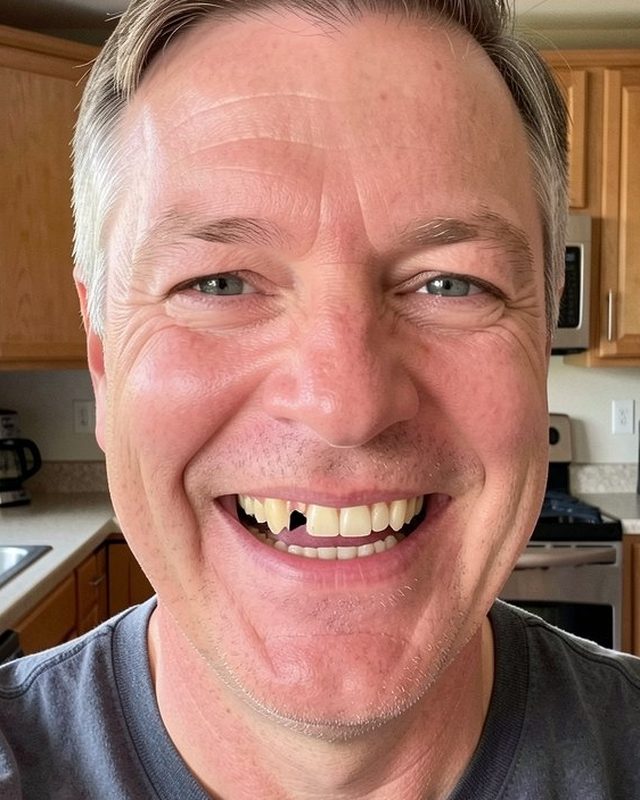
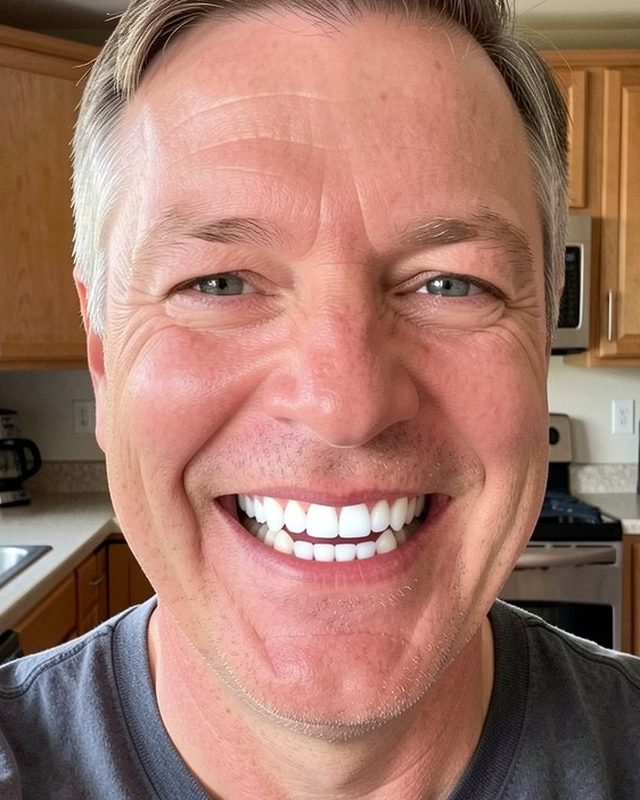
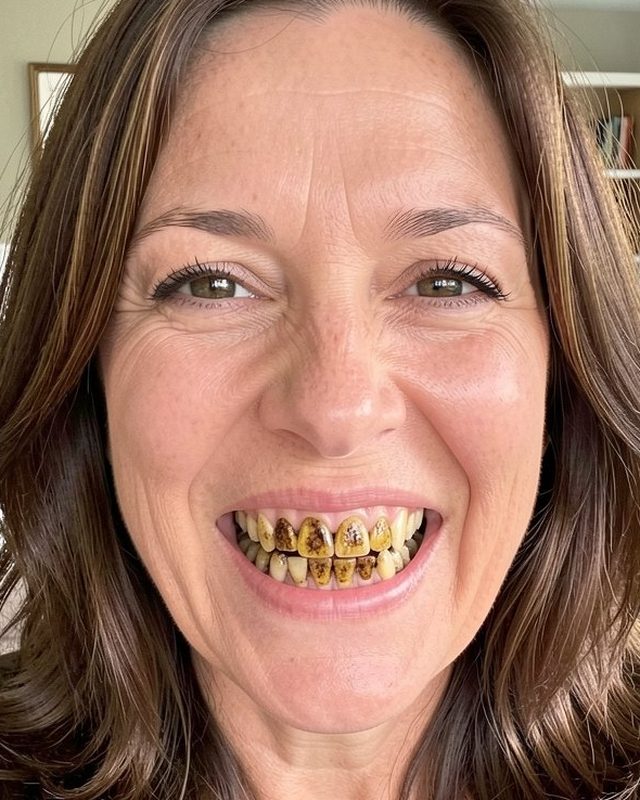
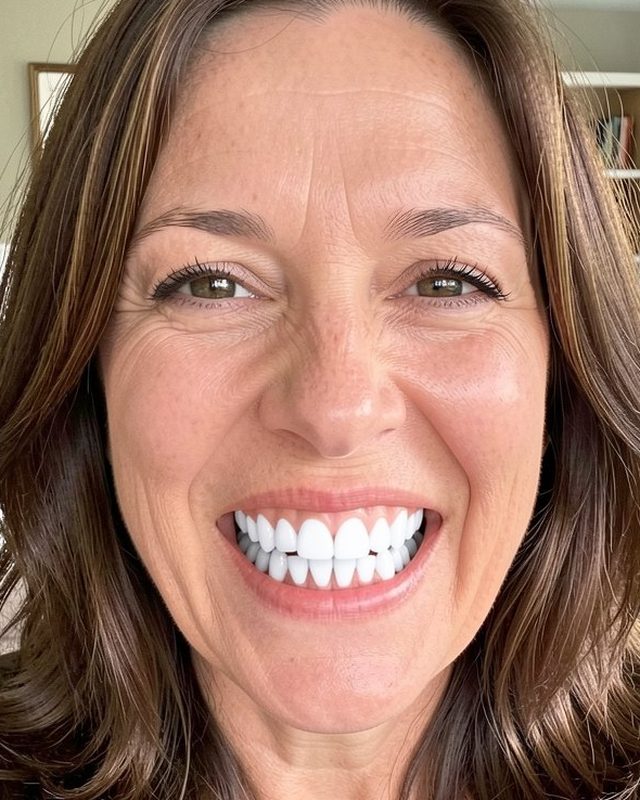
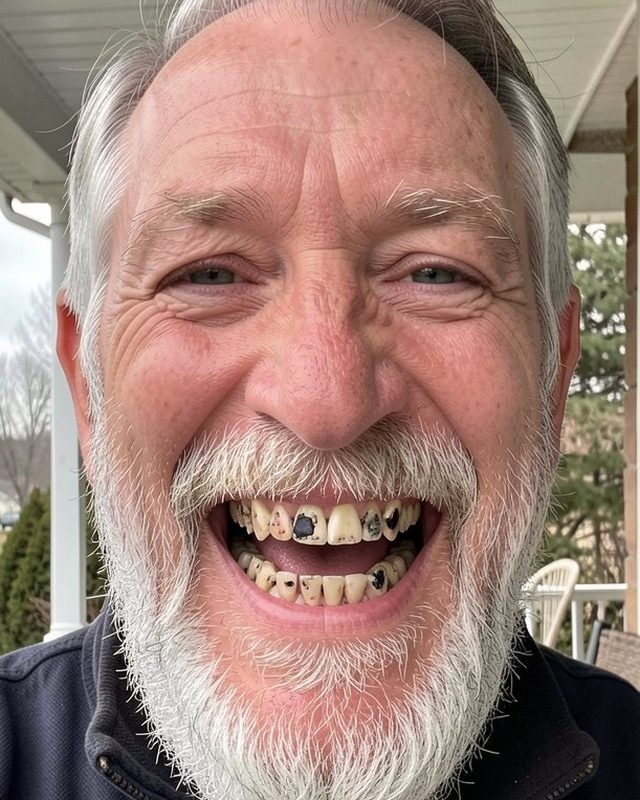
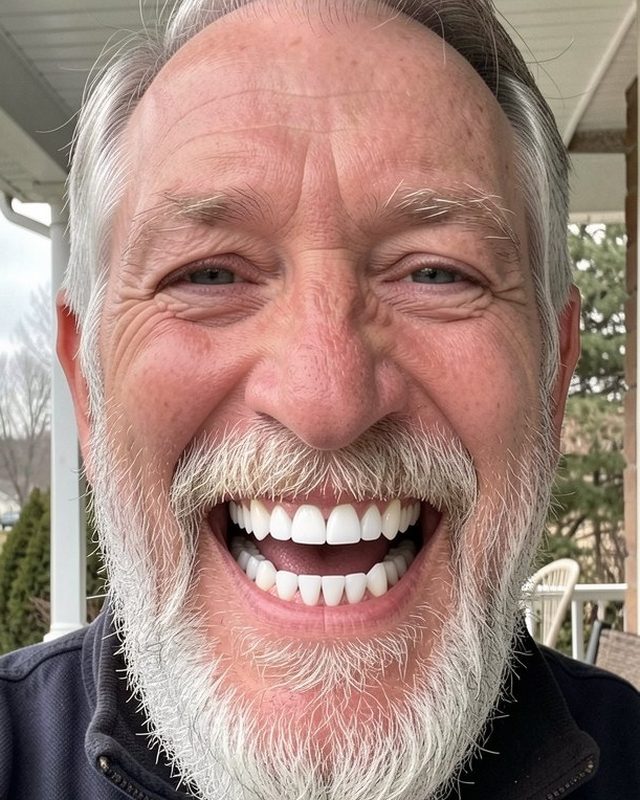
Smile Fitter in 30 seconds
What a patient sees on your website, and what lands with your team.
Read the transcript
Your patients don't want someone else's smile. They want their own. Smile Fitter puts an AI smile preview right on your website. A visitor takes a selfie, picks a treatment, and sees their new smile in about ten seconds. They leave a name and number to keep it, and ask for a consultation. You get the lead, with before and after photos. One line of code. Free during the beta. Smile Fitter. Find us at smilefitter.com.
Your gallery shows other people's smiles. A preview shows theirs.
Every practice site has before-and-after photos, and they matter, because they prove you do good work. But someone scrolling a gallery is still wondering whether it would work on them, and a stranger's photo can't answer that.
A preview can. In under a minute the visitor is looking at their own face with the gap filled or the stains gone. "Could they do that?" turns into "When can I start?"
The big names already offer this. Invisalign has SmileView and Aspen Dental has its Smile Try-On, each built by an in-house engineering team. Smile Fitter gives an independent practice the same tool with one line of code.
Her photoHer previewWhat a few more consultations a year are worth
Change nothing else about your marketing. Put a preview in front of your form and work out what a small lift in inquiries means with your own numbers.
What your patients see
Built for the phone, since that's where most people will try it. No app, no account, nothing to install.
Take a selfie
The camera checks framing, distance, light and a visible smile, then takes the photo itself. Uploading a photo works too.
Pick a treatment
Replace missing teeth, a full new smile, an even gumline, whiter teeth, or the best overall result. You choose which ones your practice offers.
See the new smile
Ready in about 10 seconds, with a before and after slider and three tooth shades to switch between.
Unlock it with a name and a number
First name plus a mobile number or email. That's the whole form.
Ask you for a consultation
They pick the days and time of day that suit them. It lands in your dashboard with their before and after photos.
Built for real patients and a busy front desk
Only the smile changes
Face detection runs on the phone. The AI sees a close-up of the mouth, and the result is blended back into the original photo, so eyes, skin and hair never drift.
A camera that coaches
Live checks for framing, distance, light and teeth showing, so patients get a usable photo on the first try.
Shade on the spot
Natural, Bright and Brilliant, switched instantly on the result without another wait.
Your practice, not ours
Your logo, colors, doctor, hours and phone number on the page. Patients see your name throughout.
A video to share
A vertical before-and-after with your practice name, made on the phone in seconds and ready for a text or a story.
Every lead in one place
Contact details, smile photos, requested times and status, with CSV export for your CRM.
One line to install
A floating button on any website. UTM tags from your ads carry through to each lead.
Nothing extra on the patient page
No ad pixels and no third-party analytics where patients type their details. The page talks to one company, Cloudflare, which hosts it.
Free during the beta
Put it on your site, use it with real patients and keep every lead.
$0a month during the beta
No card, no contract, no setup fee. Remove one line of code to stop.
- Every lead, with no per-lead fee
- All five treatment previews
- Your logo, colors and practice details
- Lead dashboard with photos and CSV export
- One-line install, or a link to text and email
- Setup done for you
We'll give you at least 30 days' notice by email before any paid plan starts. You decide then whether to keep it.
More than one location? Smile Fitter for dental groups
Guides for getting and keeping new patients
All articles-
A 30-day follow-up plan for dental leads who didn't book
A day-by-day plan for dental inquiries that didn't book: what each call, text and email says, when to stop, and how to handle unscheduled treatment.
-
The top 10 ways dental practices get more leads
Ten practical ways to bring in more new patient leads, from your Google Business Profile and reviews to ads, referrals, reactivation and follow-up.
-
Do smile simulators increase dental consultations? What we know
Smile preview tools show visitors their own face with a new smile. What the evidence says, what makes one trustworthy, and how to measure it yourself.
Questions practices ask
Not answered here? Email [email protected] and we'll reply within one business day.
Is the smile preview a diagnosis?
No. It's a marketing and patient-education tool. Every preview is labeled as an AI illustration, and patients confirm they understand that before they take a photo. Treatment decisions stay with the dentist after an exam.
How long does a preview take?
About 10 seconds from photo to result on a typical phone connection. The AI step itself takes around two seconds.
What does it cost?
Free while Smile Fitter is in beta. Every lead is yours and there's no contract. We'll give you at least 30 days' notice by email before any paid plan starts. You decide then whether to keep it.
How do I add it to my website?
Paste one script tag into your site, or send us your login and we'll do it. It adds a "See your new smile" button that opens the preview over your page. It works on WordPress, Wix, Squarespace, Webflow, Duda and plain HTML sites. You can also skip the website and text or email patients the link.
Where do patient details go?
To your lead dashboard, along with the treatment they picked, the days and times that suit them, and their before and after smile photos if they agreed to send them. Nothing goes to an advertising or analytics company.
What happens to the patient's photo?
Face detection runs on the patient's phone. Only a close-up of the mouth is sent to the AI, and that close-up isn't stored. The full photo never leaves the phone. Read how photos are used for the details.
Does it fit dental advertising rules?
It's built to. Previews are labeled as simulations, patients agree to that before they start, and the page never promises an outcome. You're still responsible for your own advertising, so check with your state board or adviser if you're unsure. More on our HIPAA and advertising page.
Will you sign a Business Associate Agreement?
Not yet. Smile Fitter is in beta and we don't sign BAAs today. We collect as little as we can instead: a first name, one way to reach the patient, and a mouth close-up only if they agree. If your practice needs a BAA before using a patient-facing tool, tell us.
Can I see it with my own practice's branding first?
Yes. We build a demo with your logo, colors, doctor and hours at demo.smilefitter.com/your-practice. Try it on your own selfie and share it with your team before anything goes on your site.
See it on your own practice before you decide.
We'll build a demo with your logo and details at demo.smilefitter.com/your-practice. Try it on your own selfie, send it to your team, then decide.